

Start with smart lighting or switches, a mesh Wi-Fi upgrade, a video doorbell, a smart thermostat and a few water leak sensors. These five deliver the biggest practical return for the least disruption, and none of them typically need an electrician. Anyone renting, on a tight budget, or simply cautious about wiring should start here. Before buying anything, though, check your broadband router’s coverage and, if wiring work looms, book a quick chat through Workily’s ask-a-pro consultations.
TL;DR:
- Upgrading Wi-Fi with mesh nodes is essential for reliable smart home performance, especially in larger homes or those with coverage gaps.
- Prioritizing smart plugs, leak sensors, and battery doorbells allows safe, low-cost upgrades that do not require professional wiring or permission.
- Starter energy savings often come from smart thermostats and zoning, which can reduce heating and lighting loads by around 12 to 18 percent.
- Pre-wiring during construction offers significant savings and flexibility for future smart device additions, especially for structured cabling and neutral wires.
- Network security basics, such as mesh with Ethernet backhaul and separate IoT networks, are critical to avoiding device failures and safeguarding household data.
Table of Contents
- Smart home improvements you can make without an electrician
- How to prioritise smart home upgrades for your budget and home
- Network, compatibility and security for a reliable smart home
- Wiring, pre-wiring and retrofitting an existing home
- What energy savings can you realistically expect
- When a smart home upgrade needs a professional
- Why I recommend staging your smart home upgrades
- Getting the wiring and network work done properly
- Sources
Smart home improvements you can make without an electrician
Most of the meaningful upgrades in a house happen at socket level, not inside the walls. That is good news for Irish homeowners living in older stock, where rewiring a three-bed semi in Dublin or Cork can mean weeks of disruption and a bill that dwarfs the devices themselves. A recent roundup of practical upgrades found that most of the genuinely useful smart home devices, from plugs to doorbells to leak sensors, install with nothing more than a screwdriver, a plug socket, or an app.
Smart bulbs versus smart switches is the first fork in the road. Bulbs are the easy option: screw one in, pair it with an app, and you have dimming, scheduling and colour control in minutes. The catch is that every fixture needs its own smart bulb, which gets expensive fast in a house with a dozen light fittings. Smart switches solve that by controlling the circuit rather than the bulb, so any bulb in the fitting benefits. The complication is the neutral wire. Many Irish homes built before the 2000s wired switches with only line and earth, no neutral, and most smart switches need that third wire to function. A neutral-wire check before buying switches saves you the annoyance of returning a box that simply will not fit your wall plate.
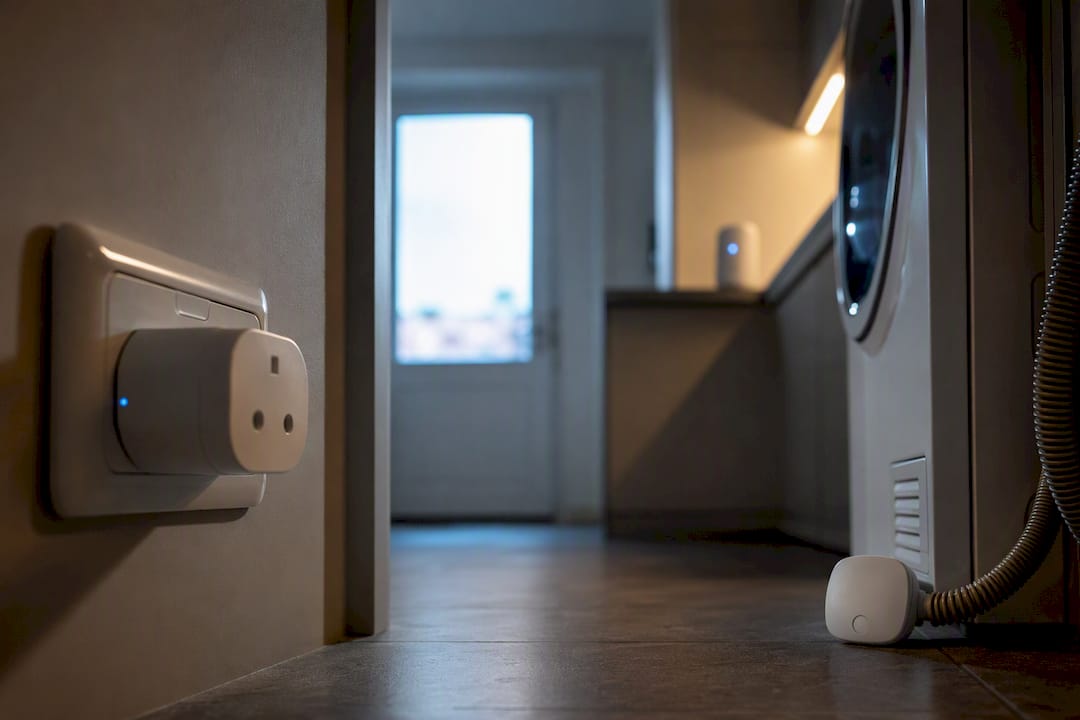
Smart plugs are the quiet workhorse of the smart home. Plug one into the socket behind your TV, games console or tumble dryer, and you get scheduling, remote shutoff and, on most models, a live read of how much electricity that appliance is actually drawing. Standby and phantom load from set-top boxes and chargers left plugged in overnight adds up over a year, and a smart plug is the cheapest way to see exactly where that waste is happening.
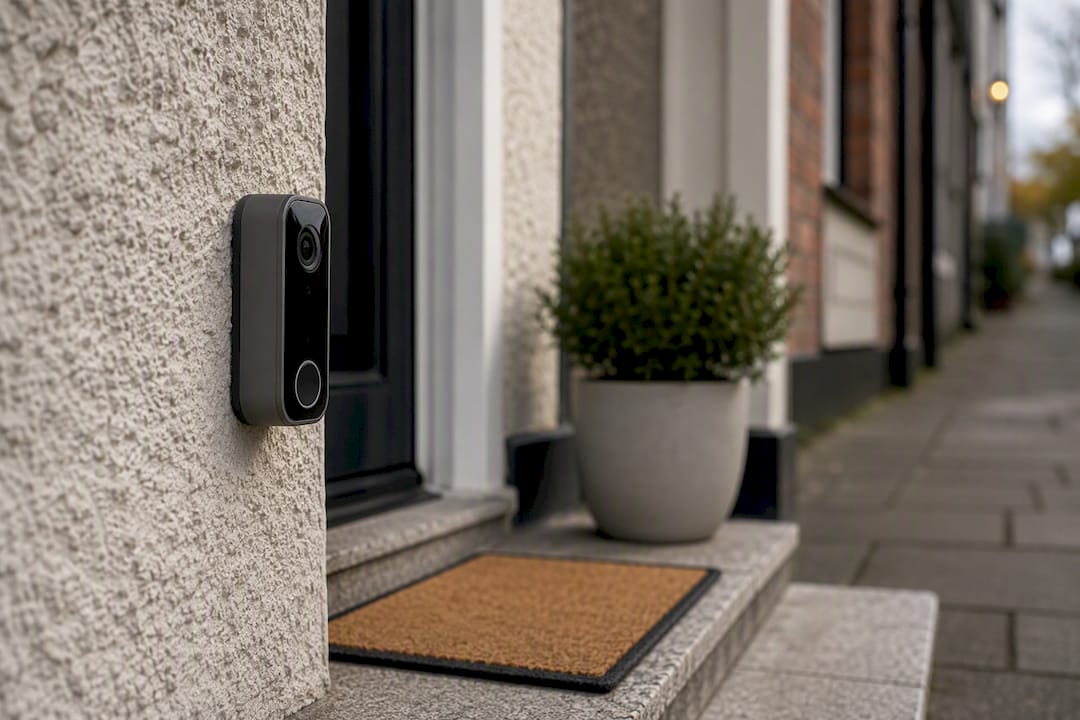
Video doorbells and cameras are the upgrade most homeowners notice fastest. Battery-powered doorbells avoid any wiring at all, though they need charging every few months, while wired versions offer continuous power but need existing bell wiring or a professional to add it. Placement matters more than spec sheets: angle the camera to capture the path to your door rather than the road, and if you are in an apartment block or terraced house, check your management company’s rules on external cameras before mounting one, since some estates restrict visible hardware on shared façades. Local storage (an SD card or a home hub) avoids monthly cloud subscription fees and keeps footage off a third-party server, which matters if privacy is a concern.
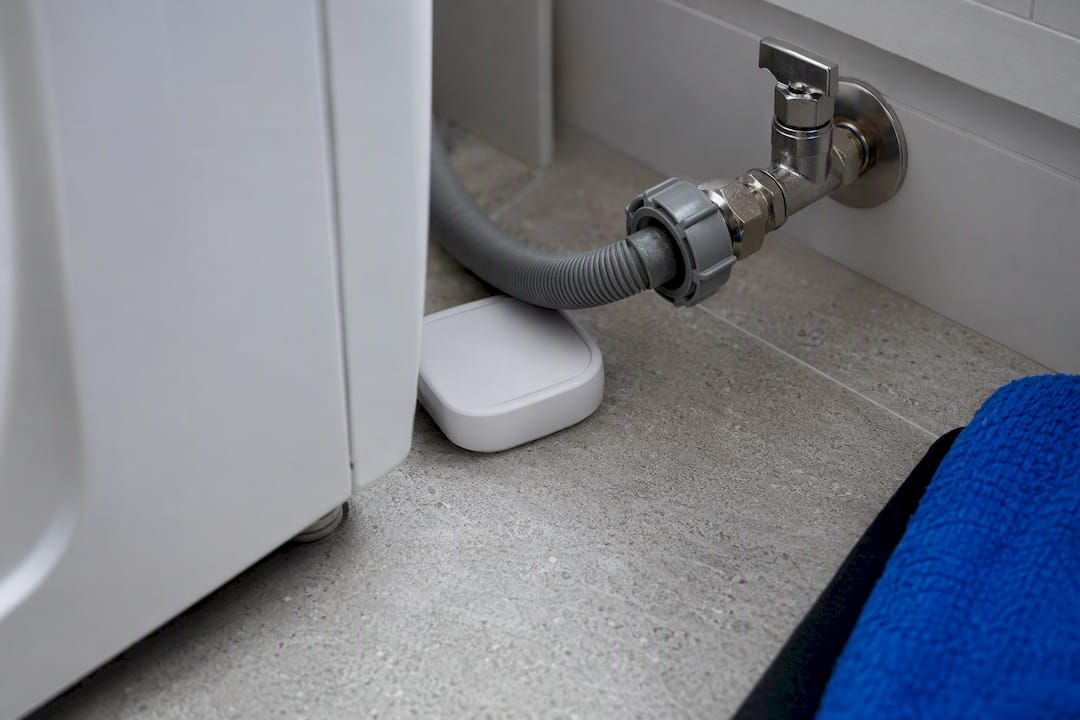
Leak, smoke and carbon monoxide sensors are the least glamorous upgrade and arguably the best value. A leak sensor costs a fraction of what a burst washing machine hose can do to a kitchen floor, and placing one under the sink, behind the washing machine and near the hot water cylinder covers the highest-risk spots in most Irish homes. Combined smoke and CO alarms with app alerts are worth prioritising in any house with a solid fuel stove or an older boiler.
Mesh Wi-Fi is the upgrade that makes everything else behave. A single router in the hallway rarely reaches the back bedroom or the garden shed, and a smart home built on patchy Wi-Fi is a smart home that drops connections constantly. Adding two or three mesh nodes fixes coverage gaps without rewiring, and it is the single highest-leverage purchase most people make in their first month of upgrading.
Smart thermostats and zoning bring the biggest energy story. A thermostat that learns your schedule and adjusts heating room by room, rather than heating the whole house to the same temperature around the clock, is where the real savings live, and Irish gas and oil prices make the payback period shorter than in most of Europe.
Other convenience devices worth a mention: smart locks remove the fumbling-for-keys problem and let you grant temporary access to a dog walker or cleaner without cutting a spare key, and robot vacuums handle the daily dust that otherwise gets ignored between deeper cleans.
A final decision that shapes everything else: hub-based versus Matter-native. Hub-based systems (Samsung SmartThings, Hubitat, or a dedicated bridge) centralise control but add another box and another point of failure. Matter-native devices talk directly to your existing network and to each other, which is simpler, though adoption still varies by device category, with lighting and plugs well supported and cameras lagging behind. Where you have a choice, favour Matter-compatible devices; they age better as the ecosystem catches up.
How to prioritise smart home upgrades for your budget and home
Four things decide what you should buy first: your main goal (convenience, security, or energy savings), your budget, whether you own or rent, and the state of your wiring and Wi-Fi. Answer those honestly before you open a shopping app, because the order changes completely depending on the answers.
- Renters should stick to fully portable devices: smart plugs, battery doorbells, freestanding leak sensors and a portable mesh node. Budget €150 to €300 and a weekend to set everything up, since nothing here needs permission from a landlord or a socket modification.
- Budget-conscious homeowners should start with one mesh Wi-Fi kit and two or three smart plugs, then add a video doorbell once coverage is solid. Expect €250 to €500 and a single afternoon of setup.
- Energy-first homeowners should lead with a smart thermostat and zoning valves, paired with a mesh network to keep the system responsive. Budget €400 to €900 depending on how many zones your heating system already has, and allow a few weeks if a plumber needs to fit zone valves.
- New builds or major renovations should pre-wire before plastering, covering structured cabling, extra sockets near switch boxes, and conduit runs, then layer smart devices on top once the shell is finished. This path runs from €1,500 upward depending on house size, spread across the build timeline rather than a single weekend.
Statistic to bear in mind: whole-home systems that use adaptive scheduling and occupancy sensing cut HVAC and lighting energy use by roughly 12 to 18% in typical field data, which is the kind of return that makes the thermostat and zoning path worth the upfront cost for anyone paying to heat an older Irish house through the winter.
Red flags that mean you need a professional assessment rather than a trip to the shops: no neutral wire at your switch boxes, a fuse board older than 20 years, damp patches near where you plan to run cabling or a Wi-Fi router that cannot reach the far end of the house even with a mesh node added. Any of those point to an electrician or network installer, not a DIY afternoon.
Network, compatibility and security for a reliable smart home
A shaky smart home is almost always a network problem, not a device problem. Analysis of common smart home faults points squarely at weak Wi-Fi coverage and a lack of network segregation as the leading causes of dropped connections and laggy automations, well ahead of any individual device being faulty.
Three network fundamentals matter more than any single gadget purchase:
- Mesh Wi-Fi with Ethernet backhaul keeps nodes talking to each other over cable rather than competing for airtime with your devices, which matters once you have more than a handful of smart gadgets running.
- A separate IoT network or VLAN keeps your smart plugs and cameras off the same network segment as your laptop and banking apps, limiting what a compromised device can reach.
- Router firmware kept up to date, since most consumer routers push security patches automatically but some older models need a manual check every few months.
Matter and Thread, in plain terms: Matter is the software standard that lets devices from different brands talk to each other without a proprietary bridge, and Thread is the low-power wireless protocol many of those devices use to communicate locally rather than over Wi-Fi. Together they mean a Matter-certified bulb from one brand can sit in the same automation as a Matter-certified sensor from another, something that was a genuine headache five years ago.
Local execution versus cloud is the privacy trade-off worth understanding before you buy. Cloud-dependent devices stop working if your internet goes down and often send usage data to a manufacturer’s servers. Local-first platforms like Home Assistant run automations on hardware in your own home, keeping data off third-party servers and continuing to function through a broadband outage, though they ask more of the owner in terms of setup and ongoing maintenance.
Pro Tip: Change the default password on every new smart device the moment you set it up, and use a password manager to keep them unique. Default credentials are the single most common way smart home devices get compromised, and it takes thirty seconds to fix.
Wiring, pre-wiring and retrofitting an existing home
Pre-wiring during a build or a major renovation is dramatically cheaper than retrofitting the same cabling later, largely because the labour of opening and re-plastering walls dwarfs the cost of the cable itself. Guidance on pre-wiring during construction puts pre-wiring at roughly 60 to 80% cheaper than the equivalent retrofit, which is the kind of gap that changes the entire conversation with your builder.
If you are pouring foundations or gutting a house down to the studs, the sensible additions are a Cat6A cabling backbone to key rooms, empty conduit runs between the attic and main living spaces, a neutral wire pulled to every switch box, PoE (Power over Ethernet) drops wherever you might want a camera, and a structured wiring panel in the hot press or utility room to bring it all together.
| Task | New build / pre-wire | Retrofit into finished walls |
|---|---|---|
| Cat6A cable run per room | €80 in materials, minimal labour | €150–€300 including wall opening and repair |
| Neutral wire to switch box | Near-zero added cost during first fit | €80–€150 per switch, subject to access |
| PoE camera drop | €100 per point | €150–€250 per point |
| Structured wiring panel install | €300 | €500–€900 |
Not everything needs a cable, though. Smart plugs, bulbs, battery doorbells and most sensors are genuinely plug-and-play and belong nowhere near this table. What does need wiring is anything requiring mains power in a fixed location without an accessible socket, a hardwired camera system, or a smart switch in a house with no neutral wire.
Conduit is the cheapest insurance you will ever buy for a house. An empty length of conduit run during a renovation costs a few euros and lets you pull new cable in ten minutes five years from now, instead of opening a wall you have already painted.
What energy savings can you realistically expect
Smart thermostats and zoned heating are where most of the measurable energy savings show up, and the range worth planning around is that 12 to 18% reduction in HVAC and lighting load seen in whole-home systems using adaptive scheduling and occupancy sensing. On an Irish heating bill running through a full winter, that is a meaningful dent rather than a rounding error.
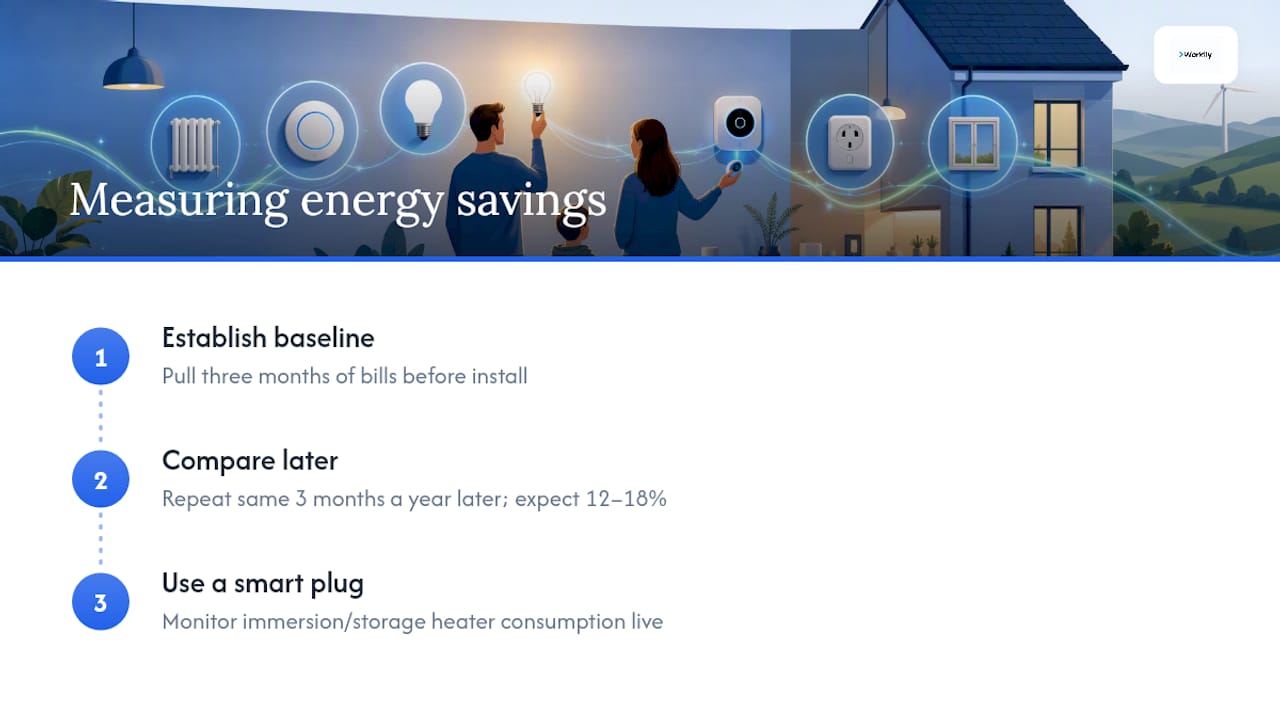
Measuring your own savings properly means establishing a baseline first. Pull three months of bills before you install anything, then compare the same three months a year later once the thermostat and zoning have settled into your routine. A smart plug on your immersion or storage heater gives you a live read on that specific appliance’s consumption, which is far more useful than guessing from a total bill.
If you have solar panels or a battery, confirm your thermostat and any load-shifting smart plugs actually support your inverter brand before buying. Not every smart energy device talks to every inverter, and a mismatch here means the two systems run side by side without ever coordinating.
Energy is not the whole story, either. A monitored camera and doorbell add a security layer that shows up in lower home insurance premiums with some Irish insurers, and buyers increasingly ask about existing smart infrastructure when viewing a property, which nudges resale appeal upward even where the energy savings alone would not justify the spend. For a broader look at where energy efficiency measures fit into an Irish home, see Workily’s guide to home energy efficiency.
When a smart home upgrade needs a professional
DIY covers plugs, bulbs, doorbells and sensors comfortably. It stops being sensible the moment a job touches your fuse board, needs a neutral wire pulled to a switch, or involves running structured cabling through joists and walls. Professional installations typically follow a discovery, site survey, pre-wire, install, programming and handover sequence, with total timelines running from one week for a simple job to eight weeks for a full-house retrofit.
Before you brief an installer, hand them a short checklist:
- The exact scope: which rooms, which devices, which existing wiring stays and which gets replaced.
- A requirement that new devices be Matter-compatible where an equivalent exists, so the system does not lock you into one ecosystem.
- A neutral-wire check at every switch location before quoting for smart switches.
- A commitment to test every device and automation before handover, not just confirm it powers on.
A licensed electrician is the right call for anything touching the fuse board or new circuits; a network installer handles structured cabling and mesh design; a certified integrator is worth the extra fee on a whole-house system with dozens of devices talking to each other. Whichever you need, compare at least two or three quotes rather than accepting the first one, and ask specifically what support is included after installation, since a system that breaks six months in with no support clause is a false saving. Reviewing safety basics first, including when electrical work genuinely needs a qualified electrician, helps you brief any tradesperson with confidence rather than guessing at what counts as a DIY job.
Why I recommend staging your smart home upgrades
Most people buy smart home devices in the wrong order. They start with a flashy speaker or a camera because it is the most visible purchase, then wonder why automations feel unreliable six months later. The unglamorous truth is that network quality determines almost everything else, and the homeowners who get the most out of their smart home are the ones who fixed their Wi-Fi coverage before buying a single bulb.
I would also push back gently on the instinct to do everything in one go. Staged upgrades, tested one at a time, let you catch a bad neutral wire or a weak mesh signal before it is buried under five other systems layered on top. When wiring or network design is involved, that staged approach pairs naturally with bringing in a vetted professional for the parts that genuinely need one, rather than guessing and hoping the walls do not need opening twice.
— Thomas
Getting the wiring and network work done properly
Everything covered here, from mesh Wi-Fi to neutral-wire checks to structured cabling, eventually runs into a moment where a professional does the job faster and safer than a weekend of trial and error. This gap can be closed by platforms offering instant booking that connects you with verified electricians, network installers and integrators the same day when the job cannot wait, rather than leaving you chasing quotes over email for a fortnight.

If you are not sure whether your project needs an electrician at all, a quick session through Ask a Pro gets you a straight answer before you spend a cent on materials. For jobs you already know need a tradesperson, whether that is pulling a neutral wire, fitting a structured wiring panel, or running Cat6A through the attic, request quotes from multiple verified professionals and compare them side by side. Every professional on the platform goes through Workily’s vetting process, and same-day booking is available through instant booking when the job cannot wait for a callback. Start at Workily to see who is available in your area this week.
Sources
For deeper technical detail beyond this guide: Home Assistant is worth exploring if local-first, privacy-focused automation appeals to you, though it demands more setup time than an off-the-shelf hub. The Matter standard’s device support list is worth checking before buying anything camera-related, since adoption there still trails lighting and plugs. For anyone planning a renovation, the pre-wiring cost breakdown is the clearest single resource on what to ask your builder for before the plasterboard goes up. Practical placement ideas for device power planning and utility spaces can be found in this garage improvement guide.
- Home Assistant
- 15 smart home upgrades anyone can install without an electrician — Quartz
- Smart Home pre-wiring guide